

Create Your Token
Upload an image and customize it with borders, overlays, and text.
Upload Your Image
Drag & drop an image here or click to browse
Supports JPG, PNG, GIF (Max 5MB)
Forged Tokens
Behold examples of tokens crafted within our forge.
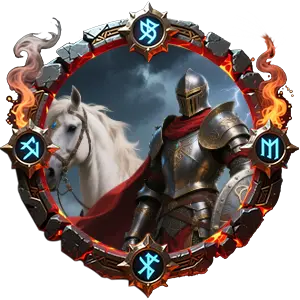
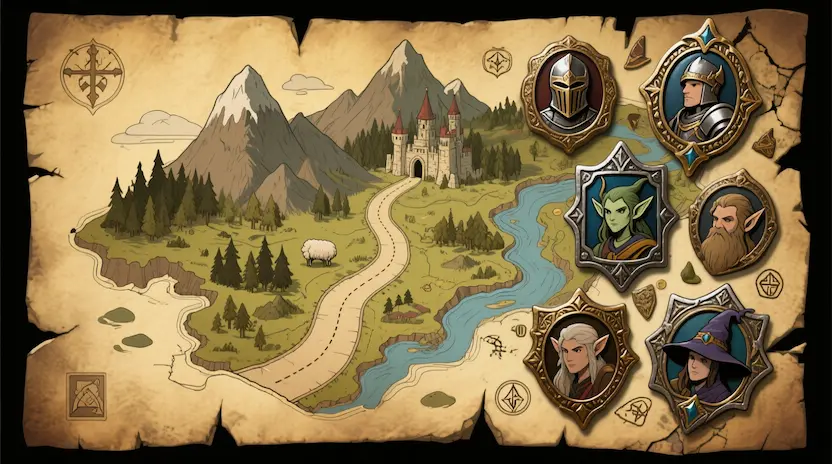
Heroic Knight
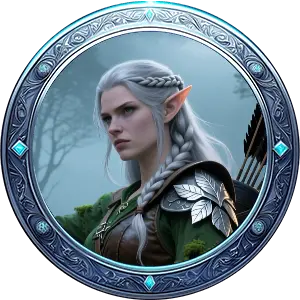
Elven Ranger
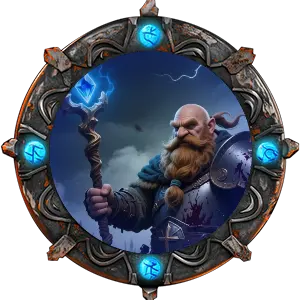
Dwarven Cleric
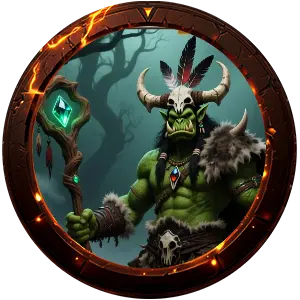
Orcish Shaman
About the Token Maker
Welcome, adventurer, to the Token Maker, a mystical forge where your imagination takes shape as tangible game pieces. Whether you command vast armies on a digital battlefield or weave tales around a table, our tool empowers you to create unique, high-quality tokens for every hero, villain, creature, and object in your campaign.
Inspired by the rugged artistry of ancient scrolls and the timeless tales of fantasy, this forge offers intuitive controls to transform any image into a battle-ready token. No arcane knowledge is required—simply upload, customize, and download.
Forge Features
Custom Borders
Select from a variety of ornate, thematic borders and apply your own color tints.
Dynamic Overlays
Add effects like magical auras, status indicators, or texture overlays with adjustable tint and opacity.
Inscribed Text
Emblazon names, hit points, or titles onto your tokens with customizable size, color, and opacity.
Flexible Backgrounds
Set a custom background color and transparency for your token's base.
Intuitive Canvas
Resize, rotate, and position your image with ease using our interactive canvas.
Instant Preview
See your masterpiece come together in real-time with the live preview pane.
How to Forge Your Token
- 1. Upload: Drag and drop your character image into the main canvas area, or click to browse.
- 2. Customize: Use the panels on the right to add a border, overlay effects, background color, or inscribed text.
- 3. Adjust: Resize, rotate, and reposition your image directly on the canvas to frame it perfectly.
- 4. Preview: Watch your token take shape in the circular preview window.
- 5. Download: Once satisfied, click the "Download token (PNG)" button to save your creation.
Frequently Asked Questions
What image formats are supported?
The forge accepts common image formats such as JPG, PNG, and GIF.
Are the tokens I create private?
Yes. Images you upload are processed locally in your browser. We do not store or have access to your files.
Can I use these tokens commercially?
You are free to use the tokens you create for personal and commercial purposes. However, please ensure you have the rights to the original images you upload.
Is the Token Maker free to use?
Absolutely! The core Token Maker is completely free. Enjoy crafting your tokens without any cost.
I found a bug or have a feature request!
Your feedback is invaluable! Please reach out through our contact channels (you can add these in the footer) so we can improve the forge.